|
File Server : Configure Shared folder
2017/02/15 |
|
Configure a Shared folder as an example.
|
|
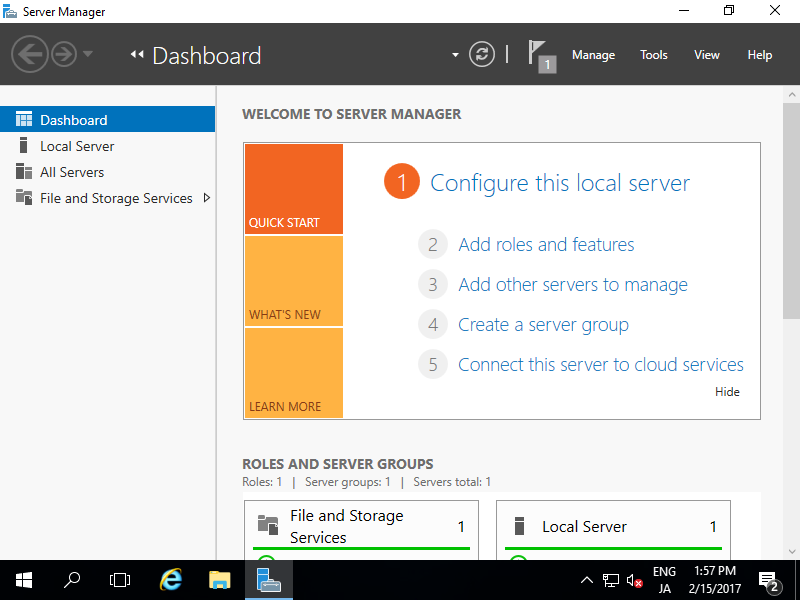
| [1] | Run Server Manager and Click [File and Storage Services]. |
|
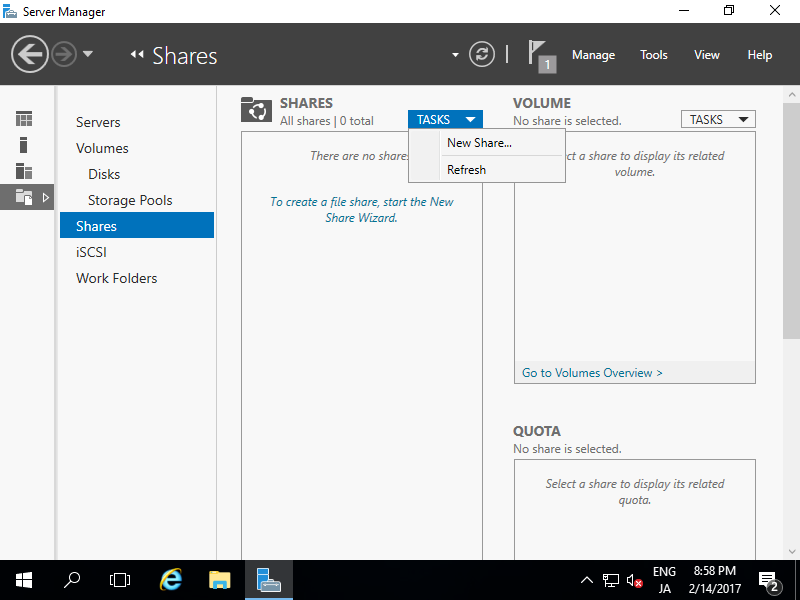
| [2] | Select [Shares] on the left pane and click [TASKS] - [New Share...]. |
|
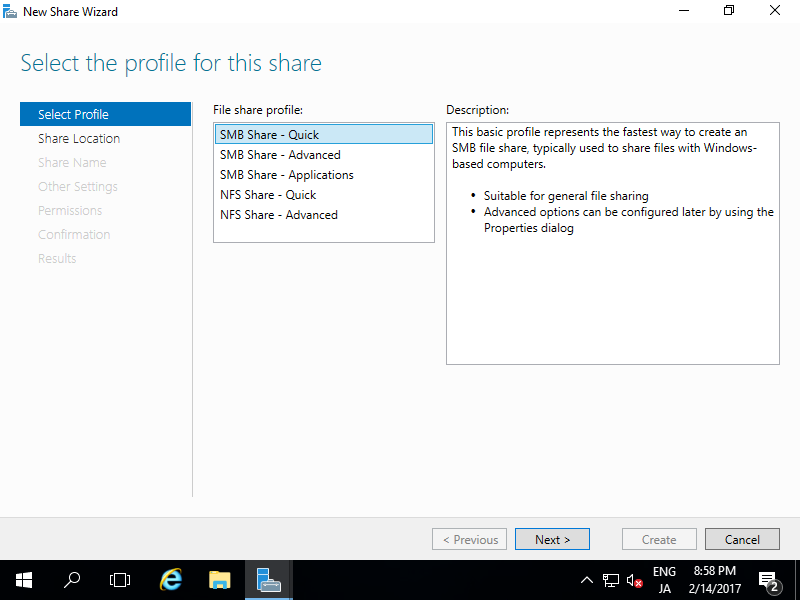
| [3] | For example, select [SMB Share - Quick] on here. |
|
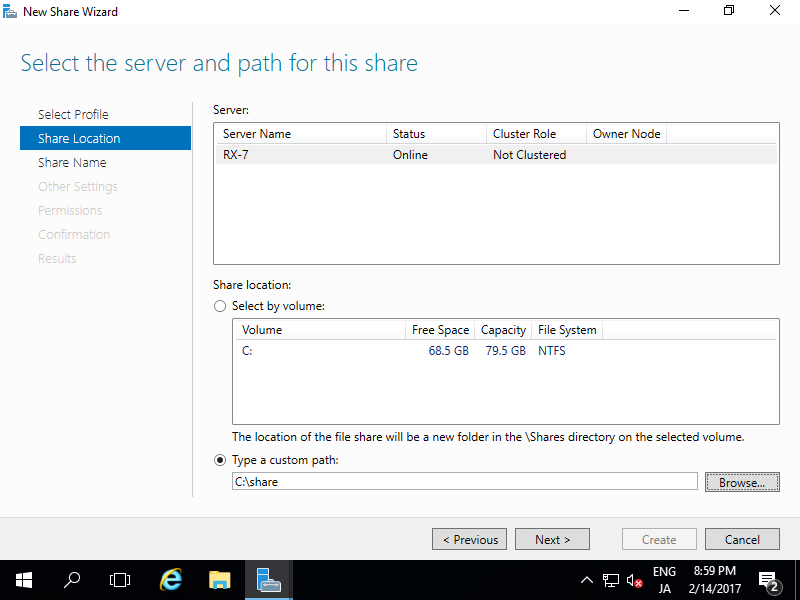
| [4] | For example, configure a specific folder as shared one, so check a box [Type a custom path] and input the path for specific folder you'd like to set as shared folder. (set as "Share" on this exmaple) |
|
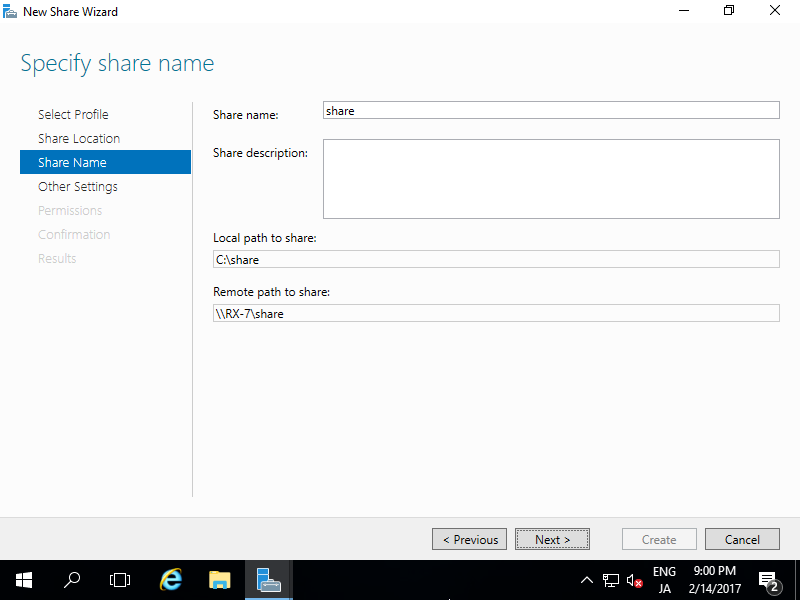
| [5] | Input local and remote share path. |
|
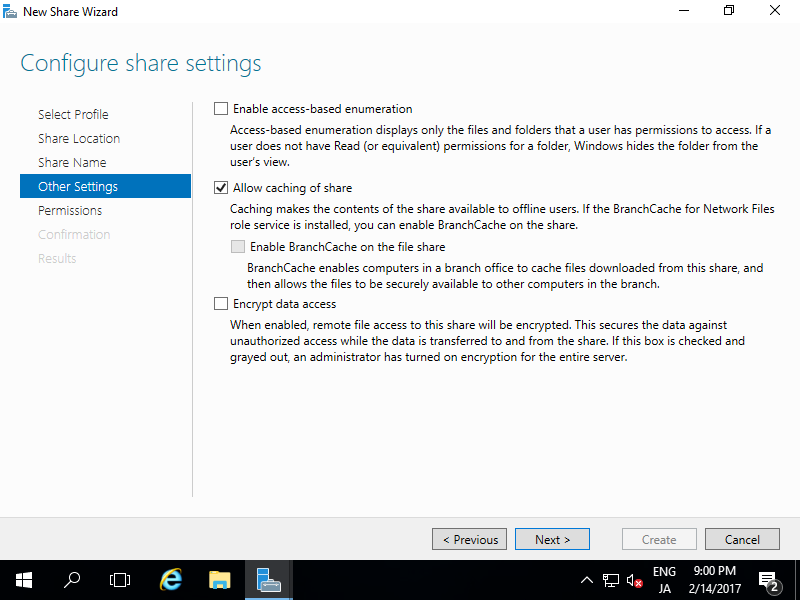
| [6] | Configure Share settings. This example shows to keep default. |
|
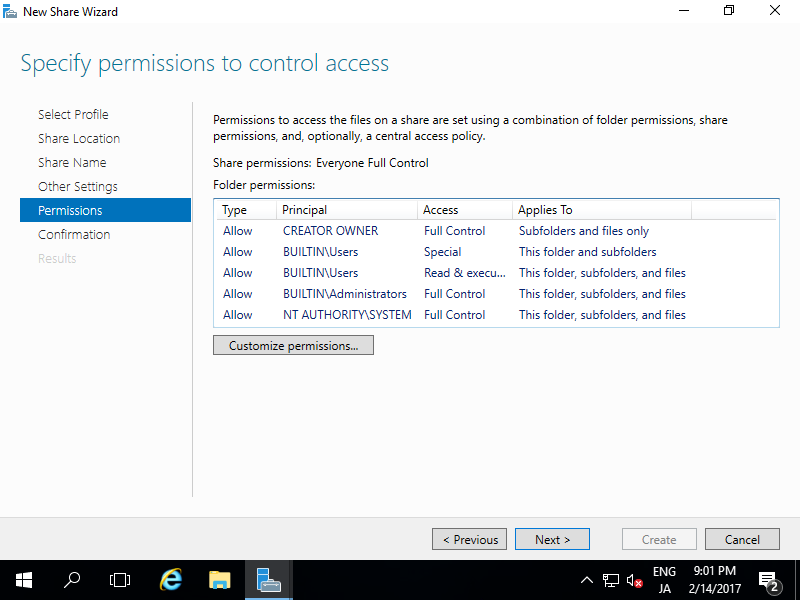
| [7] | Set the share permissions. Configure it for your requirements. |
|
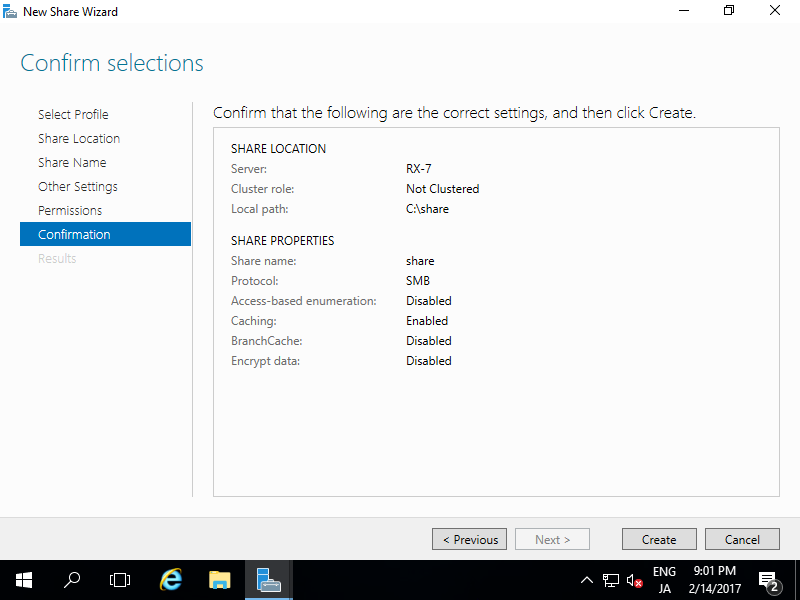
| [8] | Confirm selections and click [Create] button if all OK. |
|
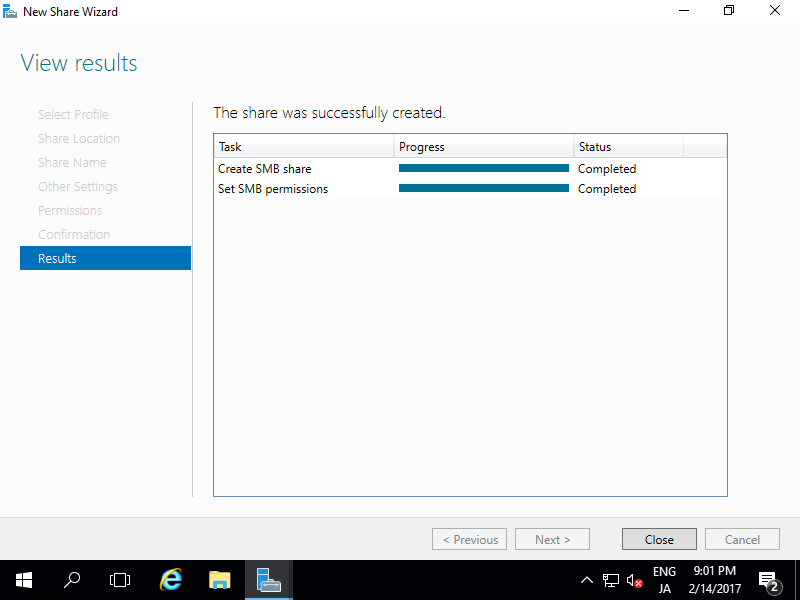
| [9] | After finishing, Click [Close] button. |
|
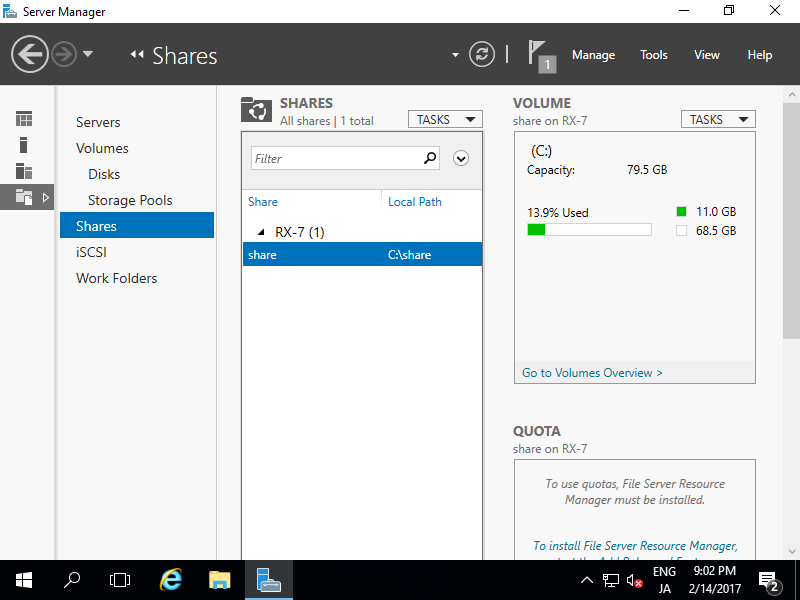
| [10] | New share has been listed like follows and it's possible to access from Clients. |
|